
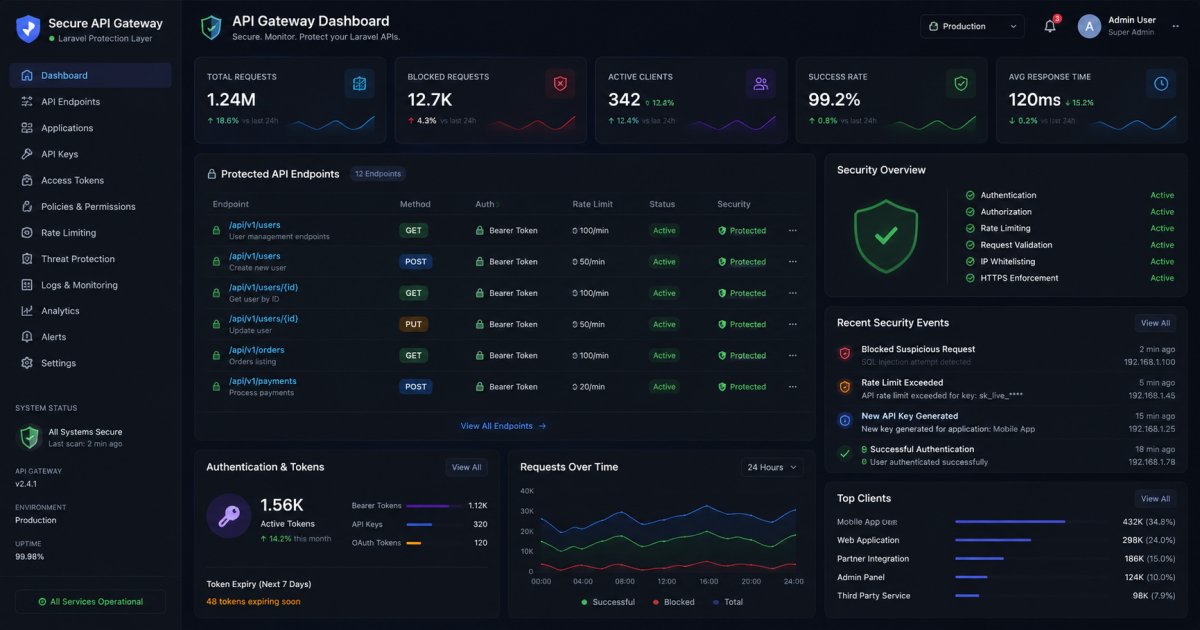
REST APIs are the backbone of modern web and mobile applications. Whether you're building a SaaS platform, mobile app backend, or third-party integration, securing your Laravel APIs should be a top priority.
Without proper security measures, APIs can become targets for unauthorized access, data breaches, brute-force attacks, and other cyber threats.
In this guide, you'll learn the most effective techniques for securing REST APIs in Laravel and protecting your application from common vulnerabilities.
1. Use Laravel Sanctum or Passport for Authentication
Authentication is the first line of defense for your API.
Laravel provides two excellent authentication solutions:
- Laravel Sanctum
- Laravel Passport
For most applications, Laravel Sanctum is lightweight and easy to implement.
Example
Route::middleware('auth:sanctum')->get('/user', function (Request $request) {
    return $request->user();
});
Token-based authentication ensures that only authorized users can access protected endpoints.
2. Always Use HTTPS
Never expose API traffic over HTTP.
HTTPS encrypts communication between clients and servers, protecting sensitive information such as:
- Login credentials
- Access tokens
- Personal information
- Payment data
Configure SSL certificates on your production server and redirect all HTTP requests to HTTPS.
Force HTTPS
URL::forceScheme('https');This helps prevent man-in-the-middle attacks and data interception.
3. Validate All Incoming Requests
Never trust user input.
Laravel provides a powerful validation system that helps prevent invalid or malicious data from entering your application.
Example
$request->validate([
    'name' => 'required|max:255',
    'email' => 'required|email',
]);
Proper validation reduces security risks and improves data integrity.
4. Implement Rate Limiting
Rate limiting protects APIs from:
- Brute-force attacks
- Spam requests
- API abuse
- Denial-of-service attempts
Laravel includes built-in rate limiting middleware.
Example
Route::middleware('throttle:60,1')->group(function () {
    Route::post('/login', [AuthController::class, 'login']);
});
This allows 60 requests per minute from a single client.
5. Protect Sensitive Data
Never expose confidential information through API responses.
Avoid Returning
- Password hashes
- Internal IDs when unnecessary
- Security tokens
- Private system data
Use hidden model attributes.
protected $hidden = [
    'password',
    'remember_token',
];
Always return only the data that clients actually need.
6. Use Authorization Policies
Authentication verifies who the user is.
Authorization determines what they can do.
Laravel Policies provide a clean way to control access to resources.
Example
public function update(User $user, Post $post)
{
    return $user->id === $post->user_id;
}
This ensures users can only modify their own content.
7. Sanitize and Escape User Input
APIs often store user-generated content that may later be displayed on websites or applications.
Unsanitized input can lead to:
- Cross-Site Scripting (XSS)
- Stored attacks
- Data corruption
Clean and validate data before storing it in the database.
Never assume incoming data is safe.
8. Secure API Error Responses
Detailed error messages can expose sensitive system information.
Bad Example
{
  "error": "SQLSTATE[HY000] Database connection failed"
}
Better Example
{
  "message": "Something went wrong."
}
Log technical errors internally while showing generic responses to users.
9. Keep Dependencies Updated
Outdated packages often contain known vulnerabilities.
Regularly update:
- Laravel Framework
- Composer packages
- Authentication libraries
- Server software
Check for updates using:
composer outdatedThen upgrade packages after proper testing.
Security patches are one of the easiest ways to reduce risk.
10. Monitor and Log API Activity
Logging helps identify suspicious behavior before it becomes a serious issue.
Monitor:
- Failed login attempts
- Unusual traffic spikes
- Unauthorized access attempts
- API errors
Laravel provides excellent logging capabilities through Monolog.
Example
Log::warning('Multiple failed login attempts detected.');Regular monitoring improves incident response and security visibility.
11. Use API Versioning
As APIs evolve, older versions may contain weaker security implementations.
Version your endpoints properly.
Example
/api/v1/users
/api/v2/users
Versioning allows you to improve security without breaking existing integrations.
12. Enable CORS Carefully
Cross-Origin Resource Sharing (CORS) controls which domains can access your API.
Avoid allowing all origins in production.
Bad Configuration
'allowed_origins' => ['*']Better Configuration
'allowed_origins' => [
    'https://yourdomain.com'
]
Restricting origins reduces unauthorized cross-site requests.
Best Practices Checklist
Before deploying your Laravel API, ensure you have:
✅ HTTPS Enabled
✅ Authentication Implemented
✅ Authorization Policies Applied
✅ Input Validation Configured
✅ Rate Limiting Enabled
✅ Sensitive Data Hidden
✅ Proper Logging Setup
✅ Dependencies Updated
✅ CORS Restrictions Applied
✅ Security Testing Completed
Final Thoughts
Securing REST APIs is not a one-time task—it requires continuous attention and regular updates. Laravel provides powerful built-in security features that make API protection easier, but developers must use them correctly.
By implementing authentication, authorization, validation, rate limiting, HTTPS, and proper monitoring, you can significantly reduce security risks and build APIs that are reliable, scalable, and secure.
Investing in API security today can save you from costly vulnerabilities and data breaches in the future.