
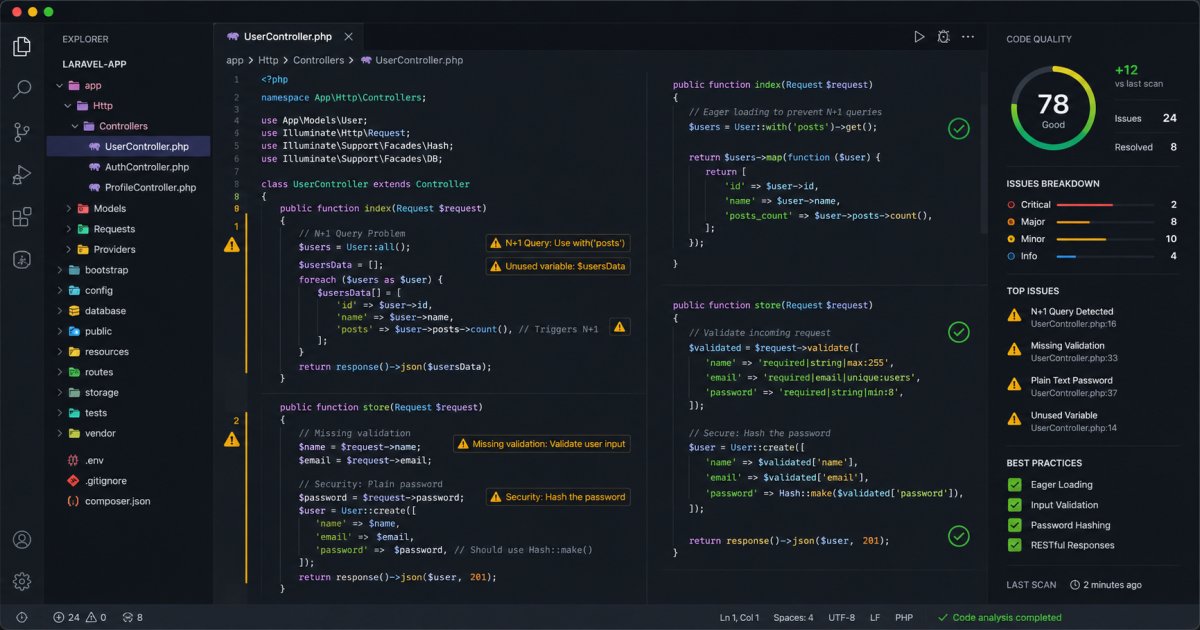
Laravel is one of the most popular PHP frameworks because it makes web development faster and more enjoyable. However, many developers—especially beginners—often make mistakes that can lead to poor performance, security issues, and difficult-to-maintain code.
In this article, we'll explore the top 10 common Laravel mistakes and how to avoid them to build more efficient and professional applications.
1. Not Using Eager Loading
One of the most common Laravel performance issues is the N+1 query problem.
Bad Example
$posts = Post::all();

foreach ($posts as $post) {
    echo $post->user->name;
}
This generates additional database queries for every post.
Better Solution
$posts = Post::with('user')->get();Using eager loading significantly improves application performance.
2. Skipping Validation
Never trust user input.
Many developers validate data only on the frontend, which can be bypassed easily.
Recommended Approach
$request->validate([
    'name' => 'required|max:255',
    'email' => 'required|email',
]);
Always validate requests on the server side.
3. Writing Business Logic in Controllers
Controllers should remain lightweight.
Bad Practice
Large controllers containing hundreds of lines of business logic.
Better Practice
Move business logic into:
- Services
- Actions
- Repositories
- Jobs
This improves maintainability and testing.
4. Ignoring Database Indexes
Poor database indexing can make applications slow as data grows.
Add indexes for frequently searched columns:
$table->index('email');Proper indexing improves query performance dramatically.
5. Not Using Environment Variables Properly
Avoid hardcoding sensitive values such as:
- API Keys
- Database Credentials
- Mail Settings
Store them inside the .env file instead.
APP_NAME=Laravel
DB_PASSWORD=secret
This improves security and flexibility.
6. Forgetting to Cache Configuration and Routes
Laravel provides powerful caching features.
Run these commands in production:
php artisan config:cache
php artisan route:cache
php artisan view:cache
These can noticeably improve application performance.
7. Not Handling Exceptions Properly
Displaying raw errors to users creates security risks.
Use Laravel's exception handling system and custom error pages.
try {
    // code
} catch (Exception $e) {
    Log::error($e->getMessage());
}
Always log errors instead of exposing sensitive details.
8. Overusing Facades Everywhere
Facades are convenient but excessive use can make testing difficult.
Prefer dependency injection whenever possible.
public function __construct(UserService $userService)
{
    $this->userService = $userService;
}
This results in cleaner and more testable code.
9. Not Using Queues for Heavy Tasks
Sending emails or processing files directly during requests slows down applications.
Use Laravel queues for:
- Email sending
- Notifications
- File processing
- Background jobs
Queues improve response times and user experience.
10. Ignoring Security Best Practices
Security should never be an afterthought.
Always:
- Use CSRF protection
- Hash passwords
- Validate user input
- Implement authorization policies
- Keep Laravel updated
A secure application protects both users and business data.
Final Thoughts
Laravel provides excellent tools for building modern web applications, but avoiding common mistakes is essential for long-term success. By following these best practices, you'll create applications that are faster, more secure, and easier to maintain.
Whether you're a beginner or an experienced developer, regularly reviewing your code and development workflow can help prevent these mistakes and improve overall project quality.